iMazing review: Is it worth paying for?
TLDR
iMazing is worth a look if you need to save iPhone messages, browse old backups, or move specific files to a Mac or PC. Try its free backup tools first. A paid plan makes less sense if all you need is a spare copy of your phone.
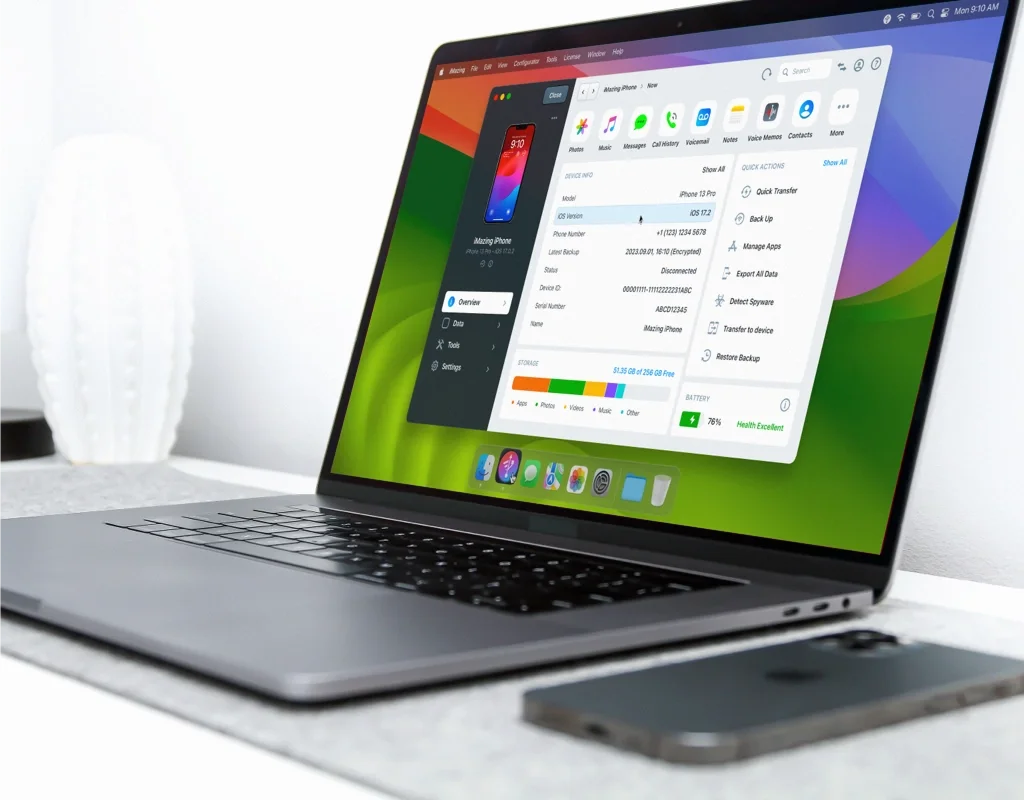
A phone backup can sit untouched for years. Then one lost message or broken screen makes it the most useful file you own. The catch is getting the right thing out of it.
That is where iMazing earns its place. This desktop app helps you view, save, and move iPhone or iPad data. It is not a must-have for every Apple owner. Its value depends on what you need beyond a routine backup.
My pick is to start free, then pay for a clear job. If you need a readable copy of a long chat, or files from an old backup, the paid tools have a purpose. If you cannot name that job, keep your money for now.
What does iMazing do?
iMazing runs on a Mac or Windows PC. You connect an Apple device and use the computer to manage its content. The app can work with messages, music, photos, contacts, voice memos, and backups. The tools you can use depend on your device, software, and license.
Think of it as a filing desk for your phone. You can look through supported content and choose what to keep. That is not the same as syncing all your devices.
You do not need to jailbreak your iPhone. You do need access to the device. You must also approve its trust prompt. iMazing is not a way around a lost passcode, an account lock, or a backup password.
| Your task | My take |
|---|---|
| Keep regular local backups | Start with the free features. |
| Save chats as files you can read | A strong reason to try the paid tools. |
| Move a few files between devices | Check the trial before buying. |
| Recover data with no device or backup | Do not expect a rescue from nothing. |
Backups are the best place to start
The iMazing backup tools can keep dated snapshots rather than replace each old copy. You can choose a backup location, set a schedule, and keep files on your own drive. Automatic wireless backups are free for personal use.
That last point matters. You can try local backups without a paid plan. Set one up, let it finish, and check the date of the saved copy. A backup plan is only useful if it keeps running.
External drives can help when a laptop has little free space. But an external hard drive left in a drawer cannot receive a fresh backup. Keep the drive connected when the schedule runs. Leave enough space for growth, too.
A first full backup may take much longer than a later one. File size, the connection, and the drive all matter. No one transfer speed applies to every phone and computer.
I would use USB for the first large job, then consider Wi-Fi for regular copies. Check that the backup has finished. Then you can wipe or trade in the phone. Do not mistake a calendar setting for proof that your files are safe.
A backup needs a safe home
Use backup encryption and keep the password somewhere safe. It helps protect stored files. But a lost password can leave you stuck. Do not keep the only copy of that password on the device you might lose.
A vault can help you keep track of it. Our Bitwarden vs 1Password comparison explains the trade-offs between a free plan and a paid vault. A good backup and a good password plan solve different parts of the same problem.
Keep another copy of important files away from the main computer. A backup on a laptop will not help if both devices are stolen. The point is to avoid one loss taking every copy with it.
Messages are a good reason to pay
A chat is easy to read on a phone and awkward to keep elsewhere. Screenshots break a long thread into pieces. They can also leave out dates or attachments you meant to save.
iMazing can export supported messages in useful formats, including PDF. You can keep a readable thread, print it, or save it with other records. This is more focused than making a full backup and hoping you never need to open it.
Before a large export, try a small sample. Look at the names, dates, images, and page breaks. Open the file in the program you plan to use later. A successful save is not the same as a useful result.
For family memories, this can be a simple way to keep a chat in one place. For formal records, preserve the original device and backup as well. A neat PDF keeps the chat. On its own, it does not prove who sent each message.
Photos, music, and small files
iMazing also helps transfer photos and other supported media. The appeal is choice: move the files you want instead of treating the whole phone as one large job.
A voice memo or old music library may matter more than the rest of the device. Check that the files are stored on the phone and available to export. Content held only in a cloud service may need a different route.
Do not assume every app exposes all its data. A specific app may limit what can be read, copied, or restored. Paid software cannot promise access that the app or Apple does not allow.
If your main aim is to copy music or print text messages, read our iMazing vs TouchCopy comparison before buying. The narrower tool may suit a one-off task. iMazing makes more sense when you will use several of its features.
iMazing price and the device license catch
The iMazing store showed a Personal Subscription at $49.99 per year for five Apple mobile devices when checked on October 16, 2026. The Family choice was $89.99 per year for twenty devices. The displayed prices included tax. Check the total for your location before paying.
This is an annual cost, not a one-time purchase. At an unchanged rate, the five-device plan would cost $149.97 over three years. That is simple cost math, not a promise about future renewal prices.
The current license policy says new perpetual device licenses stopped being sold in June 2025. Older reviews may still describe them. If you bought iMazing before then, your existing license may follow different rules from a new subscription.
A device license slot refers to an Apple mobile device, not a Mac or PC. Current paid plans let you use the app on more than one computer. A personal slot can be reused after 270 days with no device connection.
That delay is worth knowing before you replace a phone. Do not assume your old iPhone drops off the plan as soon as you buy a new one. Check your used slots before you start a transfer.
For an old permanent device license, linking a device was normally permanent. Do not apply the subscription's slot rules to that license. If a device broke or you linked the wrong one, ask support to review the case.
What happens when you stop paying?
You can cancel a current subscription and keep using it until the renewal date. “Free updates” does not mean a lifetime paid plan. You must keep the paid plan active to get them.
Save the files you need in normal formats while you have access to the paid tools. Keep the original backup as well. Make an exit plan now. Do not leave it until the license ends.
Moving from an old iPhone to a new iPhone
Before you move, make a fresh backup of the old phone. Check its date and make sure you know the encryption password. Keep the old device until you have checked the new phone.
After the transfer, look at what matters to you: recent chats, contacts, photos, and files in key apps. Some apps may need you to sign in again. A transfer tool does not make every app behave in the same way.
Do not erase the old iPhone just because the progress bar has finished. Give yourself time to spot missing content. Take extra care with data that has no other copy.
iMazing gives you more control over some transfers. That also means more choices to make. For a simple new-phone setup, the built-in route may be enough. Pay for control only when you know which part you need to control.
Will iMazing work with your iPhone or iPad?
Install the trial on the computer you will actually use. Connect your own iPhone or iPad, then test the task that matters. Do not judge the whole program from its feature list.
Try one export, not just device detection. Check one older backup, not just a new empty folder. If you want to use an external drive, make sure that drive works as your chosen location.
Also check the current version's support for your operating system. A new iOS release can change what third-party tools can do. Beta software adds more risk. Waiting for confirmed support can be better than rushing an upgrade.
There is a reason license details deserve space in this review. In a discussion about the subscription change, one user praised the backup tools but felt the price was too high for occasional use. That is one person's view. But the point is fair: a useful app can cost too much for a rare task.
If the trial fails on your key task, contact support before you pay. Keep a note of the device model, app version, and error. Do not assume a new license will fix a connection problem.
A few questions worth asking
Does iMazing replace iTunes?
It can take over some jobs you may have used iTunes for, such as moving supported music and managing backups. It does not replace every Apple service. On a newer Mac, you may already use Finder for tasks once handled by iTunes. Judge iMazing against the tools you have today, not just an old iTunes workflow.
Is iMazing safe to use?
DigiDNA Ltd makes iMazing. Its local backup approach keeps the saved content on storage you choose. You control those files. You must keep them safe, too. Protect the computer, use backup encryption, and keep exported files out of shared folders. An encrypted backup does not protect a plain PDF made from it.
Can iMazing save an app that no longer works?
Do not buy iMazing on that assumption. App management and access to app data depend on Apple's rules and the app itself. Keeping a file does not mean you can run it on every later iOS version. Test the specific app and device pair before you rely on it.
Should you keep an older iMazing version?
An older version may still suit an older device. But a new phone or iOS update can change the answer. Check both support and your license before you upgrade. Do not change the app, phone software, and backup drive at once. If a task fails, fewer changes make the cause easier to find.
Who should buy iMazing?
I would consider the paid plan if you often save chats, browse old backups, or move specific content across Apple devices. Then these tools in one app may be worth the yearly fee.
I would skip it if all you want is a routine backup. Start with the free backup features and see what is missing. I would also skip it as a last-ditch promise to recover files that exist nowhere else.
The best reason to buy iMazing is a clear need for its paid features. Pick the job, test it, and check the license. If those three things fit, the software has a useful role. If they do not, there is no need to pay just to feel prepared.